Wix or WordPress: what you give up for one login
Wix puts more in one place than anything else here. The price of that is that a Wix site stays on Wix.

Adam Roe
The short answer
Wix puts more in one login than WordPress does: the site, bookings, a small shop, and updates somebody else handles. WordPress asks you to arrange those yourself. The real difference shows up the day you want to leave, because a Wix site cannot be exported and has to be rebuilt.
On this page
Wix vs WordPress usually gets argued on features, and that is the least useful way to settle it. Both will give a small business a perfectly good website. Both let you edit it yourself. Both are fine with Google.
The difference that actually matters is not in the editor at all. It is what happens the day you want to leave, and it is worth understanding before you pick, rather than in three years when it is expensive. If you already know Wix is the one, what a Wix site costs to build and to run is priced in both halves.
Here is the trade, in plain terms.
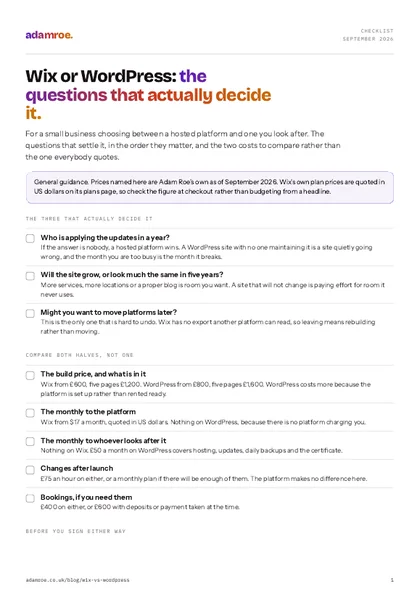 Free checklist, no email needed Wix or WordPress: the questions that actually decide it. For a small business choosing between a hosted platform and one you look after. The questions that settle it, in the order they matter, and the two costs to compare rather than the one everybody quotes. Download the checklist
What Wix gives you that WordPress does not
One login, and more inside it than anything else here.
The pages, the bookings diary, a small shop, the forms, the chat widget and the billing all sit in the same place, under one password. There is no hosting account, no plugin list, no separate booking tool with its own subscription. When Wix improves something, it is improved on your site without anybody doing anything.
For a lot of businesses that is exactly right, and it is worth saying so plainly rather than treating a hosted platform as the lesser choice. A physiotherapist who needs a website, an appointments diary and a card payment does not want to be running a plugin stack. Wix genuinely solves that in an afternoon.
WordPress gives you none of that arrangement for free. It gives you a site, and then the bookings are a plugin, the shop is a plugin, the backups are somebody’s job, and the updates are somebody’s job. Assembled well it does more. It has to be assembled.
Inside one login
On Wix the pages, the bookings diary, a small shop, the forms, the chat widget and the billing sit in the same place under one password, and when Wix improves something it is improved on your site. WordPress gives you a site, and then the bookings are a plugin, the shop is a plugin, the backups are somebody's job and the updates are somebody's job.
What you give up for it
One thing, mostly, and it is a big one.
A Wix site cannot be exported. There is no button that hands you your website in a form another platform can read. The words and the pictures are yours and you can copy them out, but the site itself stays where it is. Leaving Wix means building the site again somewhere else.
That is not a scandal and it is not hidden. It is the deal you accept in exchange for everything being arranged for you, and for most small businesses that never stay is fine. It only bites when the business changes shape: you outgrow what the platform does, or somebody wants something it will not do, and the answer turns out to be a rebuild rather than a migration.
WordPress is the opposite trade. It is more to look after, and in return the site is a set of files and a database that can be picked up and put down somewhere else. When somebody leaves me, they get a full backup and a hand moving it, free, and it actually works, because the thing being handed over is portable by design.
Two smaller things worth knowing before you choose Wix:
The price is in US dollars. Wix’s plans start at $17 a month and the plans page quotes in dollars, so a UK card pays whatever that converts to on the day (Wix pricing, checked September 2026). Check the figure at checkout rather than budgeting from the headline.
The apps accumulate. Nothing about Wix makes a site slow, but the ease of adding a widget does. A music player, a visitor counter, a second chat box and an animation on every section is a real Wix site, and it is the most common thing I take back out.
What does each one cost, both halves?
Two numbers on either platform, and they should never be quoted as one.
| Wix | WordPress | |
|---|---|---|
| One page | £600 | £800 |
| Five pages | £1,200 | £1,600 |
| Ten pages | £2,000 | £2,600 |
| Monthly, to me | nothing | £50 hosting, with updates and backups |
| Monthly, to the platform | from $17 | nothing |
| Changes after launch | £75 an hour, or a plan | £75 an hour, or a plan |
WordPress costs more to build because the platform has to be set up rather than rented ready. After that the monthly numbers land in roughly the same place, they just go to different people. Neither is the cheap option, which is why the money is rarely what should decide this.
Bookings, if you need them, are £400 on either, or £600 with deposits or payment taken at the time.
So which one, honestly?
One question settles it more often than any feature list: who is looking after this in a year?
If the answer is nobody, choose Wix. A WordPress site with no one applying updates is a site quietly going wrong, and the month you are too busy to do it is the month it breaks. That is not a WordPress flaw, it is just what the arrangement asks for.
If the answer is you or somebody you pay, the question becomes whether the site will grow. A business that will add services, locations or a proper blog gets more room on WordPress and keeps the option of moving. A business whose site will look much the same in five years does not need that room and is paying for it in effort.
And if you might want to leave, start on WordPress. That is the one part of this decision that is genuinely hard to undo.
The day you leave
Leaving Wix means a rebuild. There is no button that hands you your website in a form another platform can read, so the pages are built again, the content is copied out by hand and every old address is mapped to a new one before launch. Leaving WordPress means a move: the files and the database can be picked up and put down somewhere else.
If you are already on Wix and wondering
Nothing above is an argument for moving. A Wix site that does what the business needs is a Wix site that should be left alone, and I will say so rather than quote you for a rebuild.
Two things are worth doing wherever you are. The first is checking the site is actually in your name and not in a previous designer’s account, which is the single most common problem I find on inherited sites. Handing over a Wix site is the list for that, and there is the WordPress version too.
The second is taking the apps back out. Most Wix sites are carrying three or four widgets nobody has looked at since launch, and removing them is usually the quickest thing anyone can do for how the site feels on a phone.
What I do on either
I build on both, and the recommendation comes before the quote rather than after it.
- A Wix build is from £600, and a five page site is £1,200. The pages get structured before anything is designed, bookings or a small shop set up if you need them, and the apps kept to the ones you actually use.
- A WordPress build is from £800, five pages £1,600, and hosting afterwards is £50 a month with the updates, the daily backups, the certificate and putting it back if an update breaks something.
- The domain is registered in your name on both. That never depends on the platform, and it is the thing that actually makes a website yours.
- Moving off Wix is quoted as a build, because that is what it is. Every old address gets mapped to a new one before launch so the rankings come across, which is the part people skip.
- I will talk you out of the more expensive one when the cheaper one fits. A business that will never touch the site again does not need WordPress, and saying so costs me £400 and saves you the bother.
Before you ask
Questions people ask.
01 Can I move a Wix site to WordPress later?
Only by rebuilding it. Wix has no export that produces a site you can take elsewhere, so the pages get built again on the new platform and the content is copied across. It is not a disaster and plenty of businesses do it, but budget for a build rather than a move, and map every old URL to a new one before launch so the search rankings come with you.
02 Is WordPress harder to look after than Wix?
It needs looking after, which is not the same thing. On Wix the platform updates itself and you never think about it. On WordPress somebody applies the updates, takes the backups and keeps the certificate current. That somebody can be you, and plenty of owners manage fine. If it will not be you, it has to be a person or a plan, and that is the honest cost difference.
03 Is one of them better for Google than the other?
No, and anyone who tells you otherwise is selling a platform. Both index cleanly, both let you set a title, a description and a URL per page, and both generate a sitemap. What decides whether a site is found is the structure and the writing, which is identical work on either. The old idea that Wix is bad for search has been out of date for years.
04 Do you build on both, or push people towards one?
Both, and the recommendation comes from one question: who is looking after this in a year. If nobody is, a hosted platform wins. If the site will grow or has to do something specific, WordPress wins. A five page site is £1,200 on Wix and £1,600 on WordPress, so the build price is rarely what decides it.
If you are stuck between the two, the answer usually falls out of one conversation about who is looking after it, not out of a feature comparison.
Tell me what the site needs to do and I will tell you which one I would pick, and why, in writing within two working days.
adamroe.